
This page as an PDF-Document? Click on that Symbol and wait a little moment... ---> |
 |
|

ExtensionPCB |
Inhaltsverzeichnis
Info
This is an add-on board with two switched outputs and a 9V and 12V voltage tap.
The board can be connected to the switching outputs "OUT1 and OUT2 of the FlightCtrl. This allows LEDs to be switched or a camera to be triggered.
Shoplink: Extension-PCB (Set)
Assembly
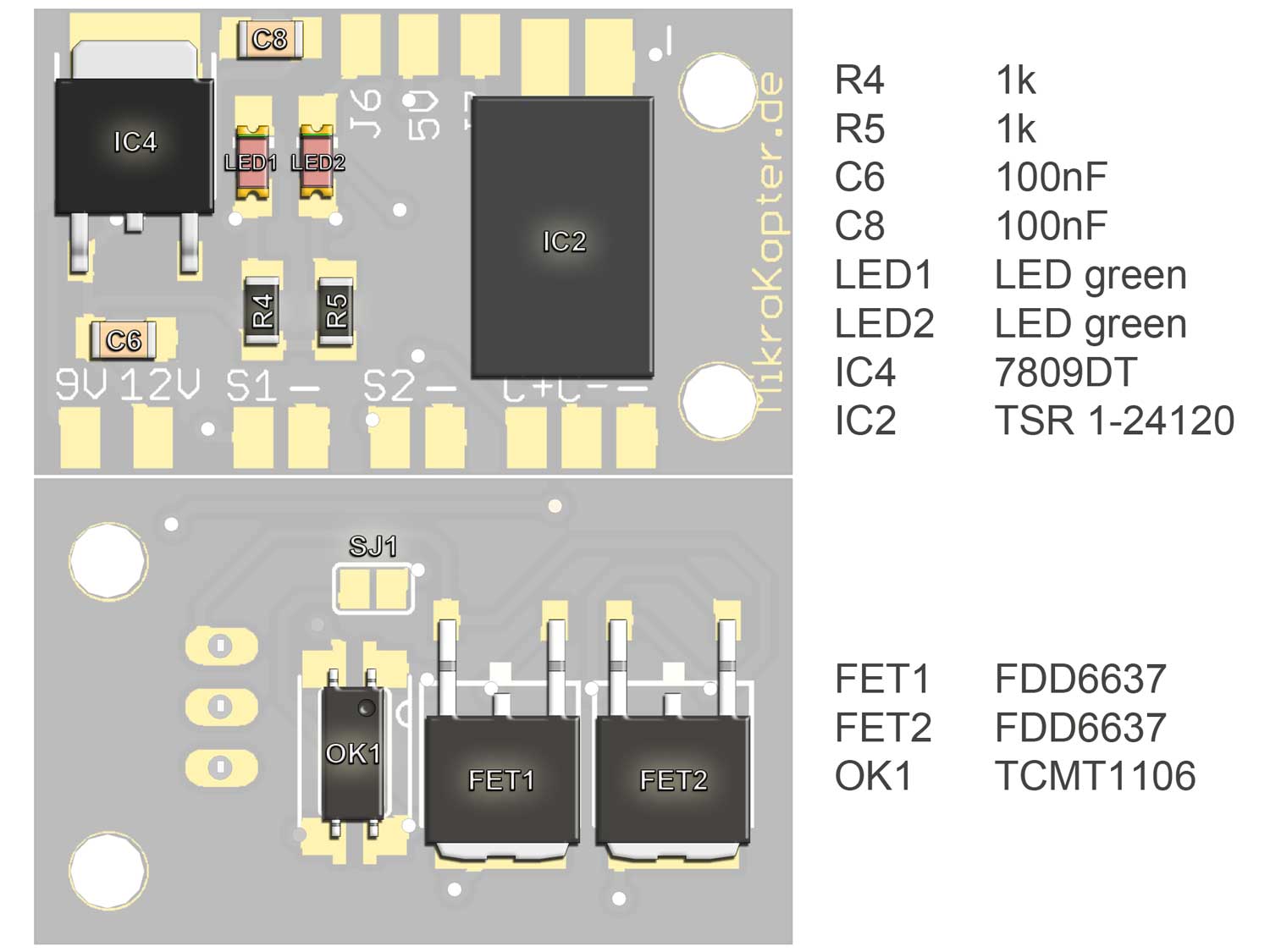
The board must still be equipped with the enclosed components. This requires a suitable soldering iron and basic knowledge in soldering.
When fitting the LED and the optocoupler, please pay attention to the correct installation direction.
The parts list consists of:
- Resistance 1k Ohm (R4/R5)
- Capacitor 100nF (C6/C8)
- Mosfet FDD6637 (FET1/FET2)
- LED "green" (LED1/LED2)
- DC converter 9V 7809DT (IC4)
DC converter 12V TSR 1-24120 (IC2) (optionally available)
- Optocoupler TCMT1106 (OK1)
Circuit diagram

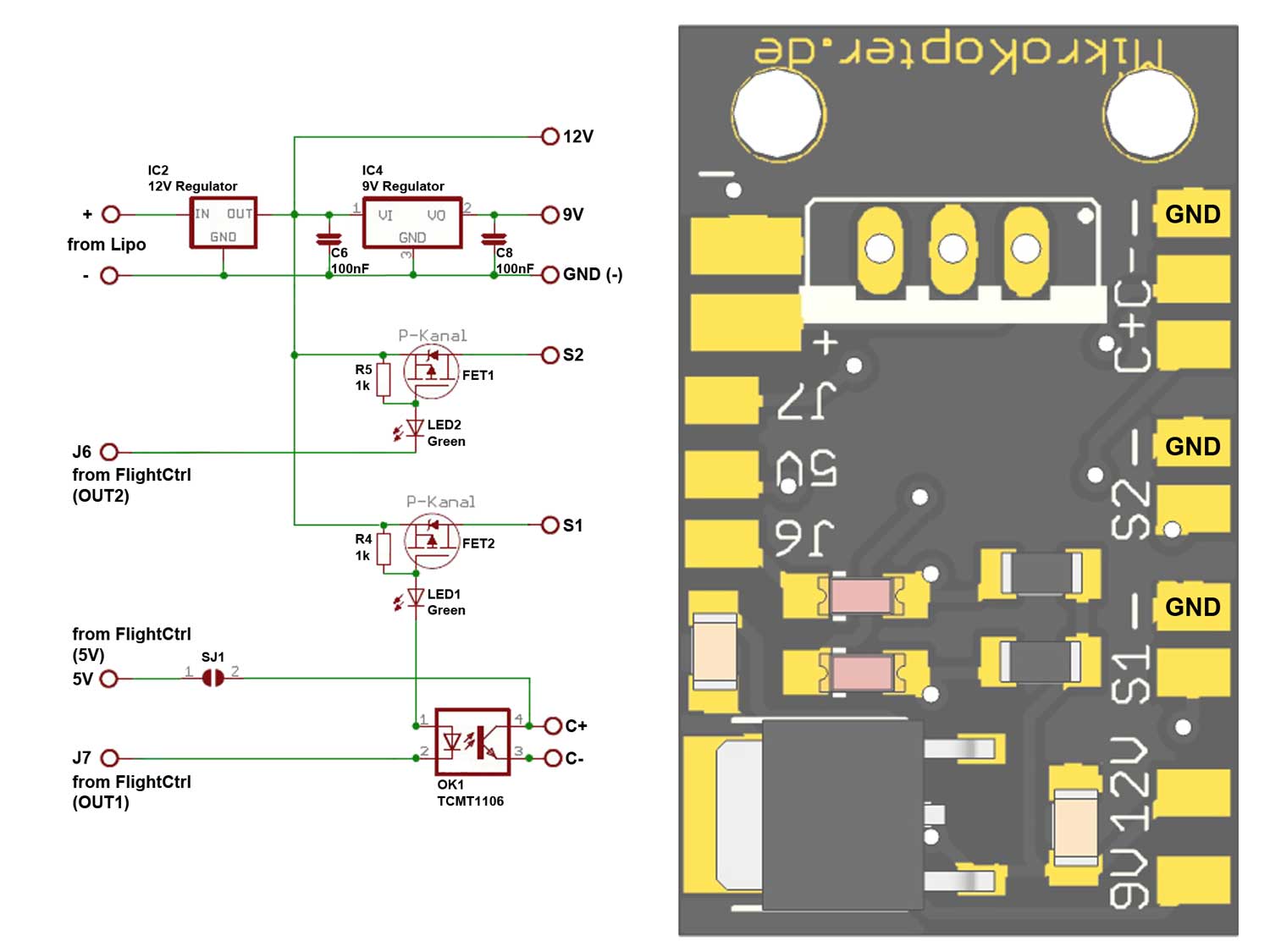
These connections are available:
Input
Output
J7
switching input 1 (Out1 FlightCtrl)
9V
+9V out (from IC4)
J6
switching input 2 (Out2 FlightCtrl)
12V
+12V out (from IC2)
5V
+5V connection from FlightCtrl
S1/-
switching output 1 (+12V switched)
+/-
voltage input (15-36V)
S2/-
switching output 2 (+12V switched)
C+/C-
switching output 1 (closing contact)
-
GND
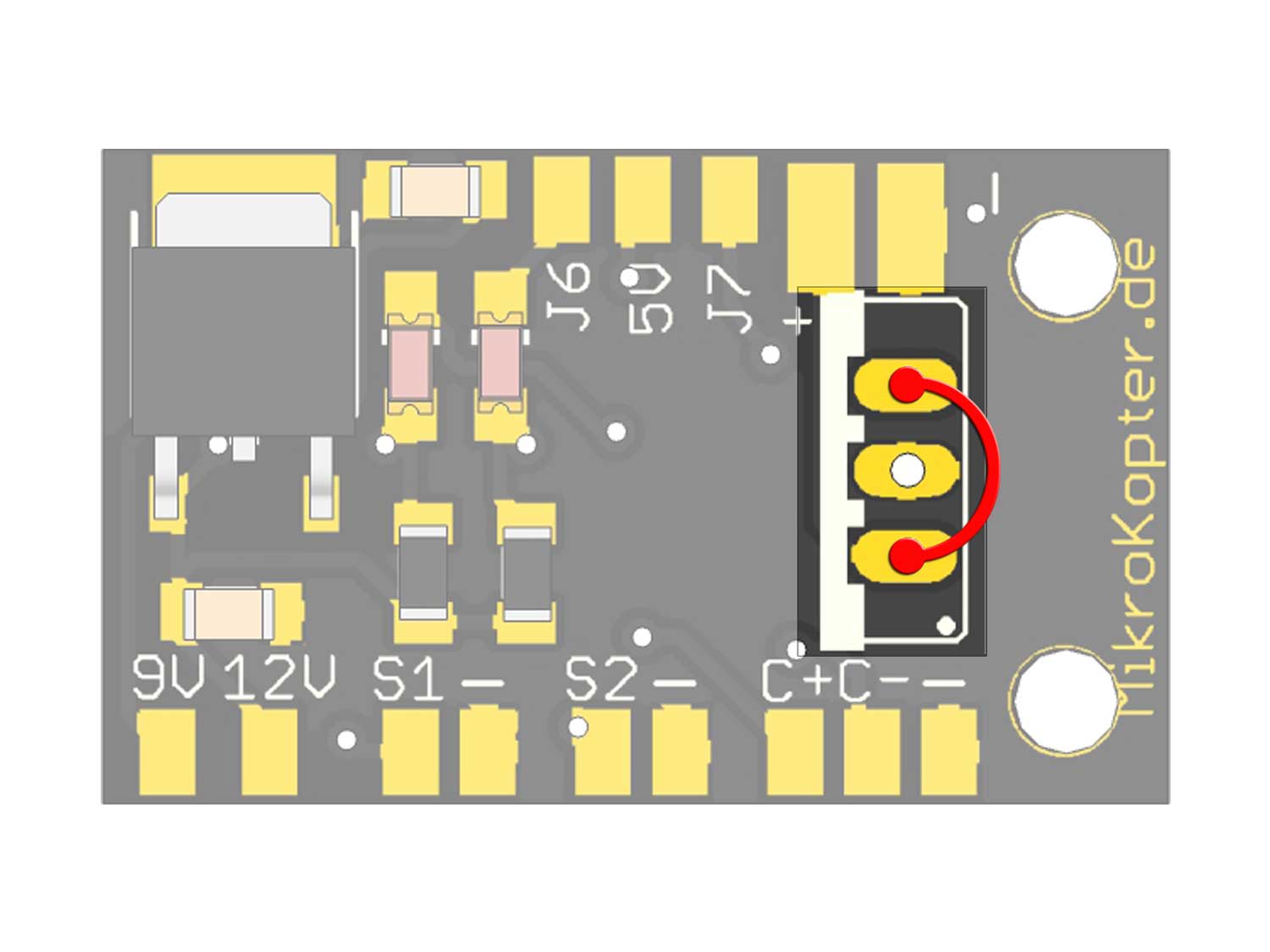
If the input voltage is 15V or more, a 12V Traco / Recom (IC2) should be soldered.
If the input voltage is lower then 15V (e.g. you use a 2S/3S Lipo), you can also solder a solder bridge over the outer pads instead of a 12V Traco / Recom.
ATTENTION: with a solder bridge the Lipo voltage will be applied to the pads "12V" / "S1" / "S2" !
Test
After mounting the board, you can easily check the function.
If you close the contact "J6" or "J7" with GND, the respective output is switched through and the associated LED lights up.
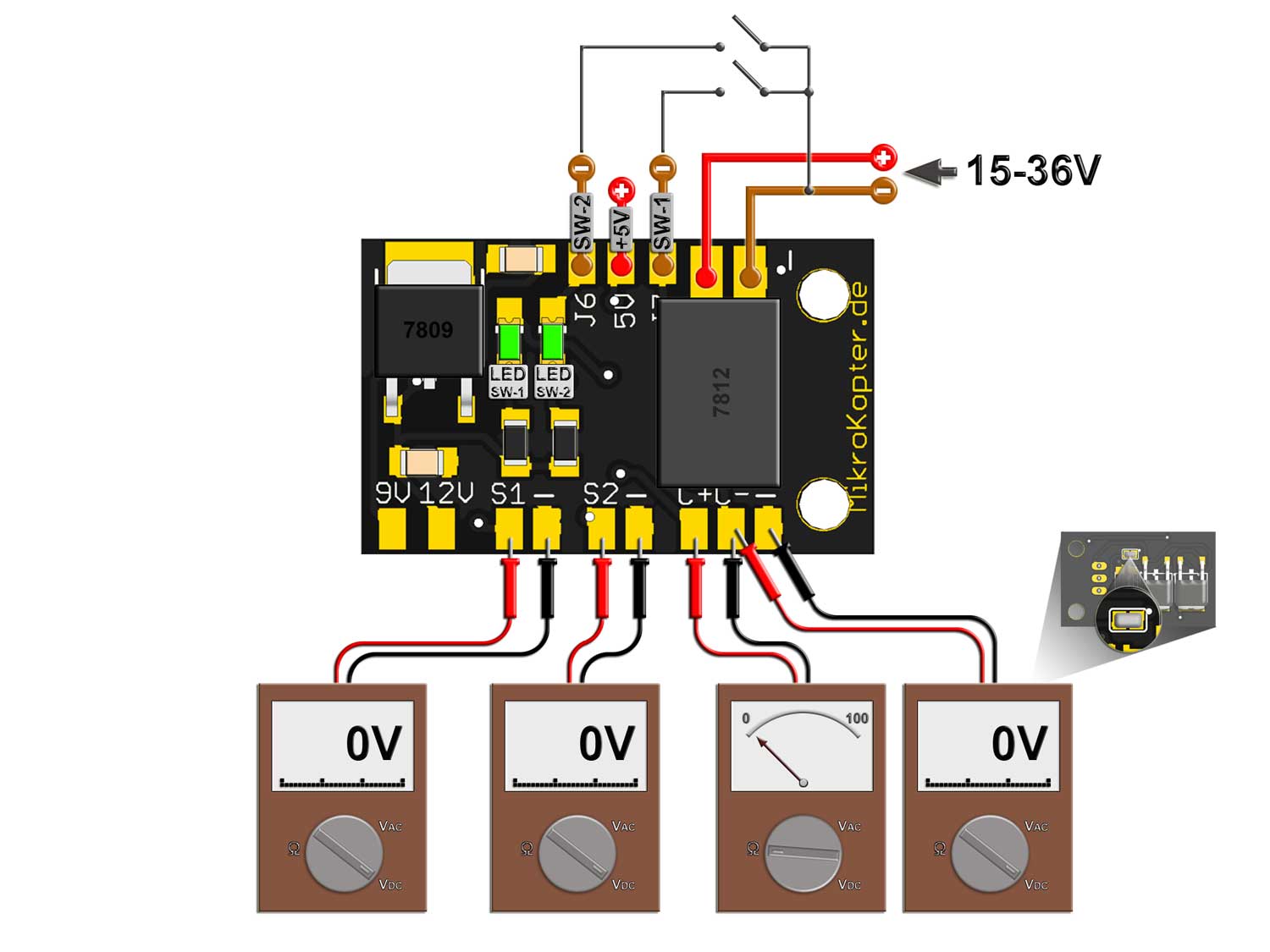
In the default setting there is no voltage at the outputs "S1" and S2 "and the switching output" C + / C- "has no continuity.
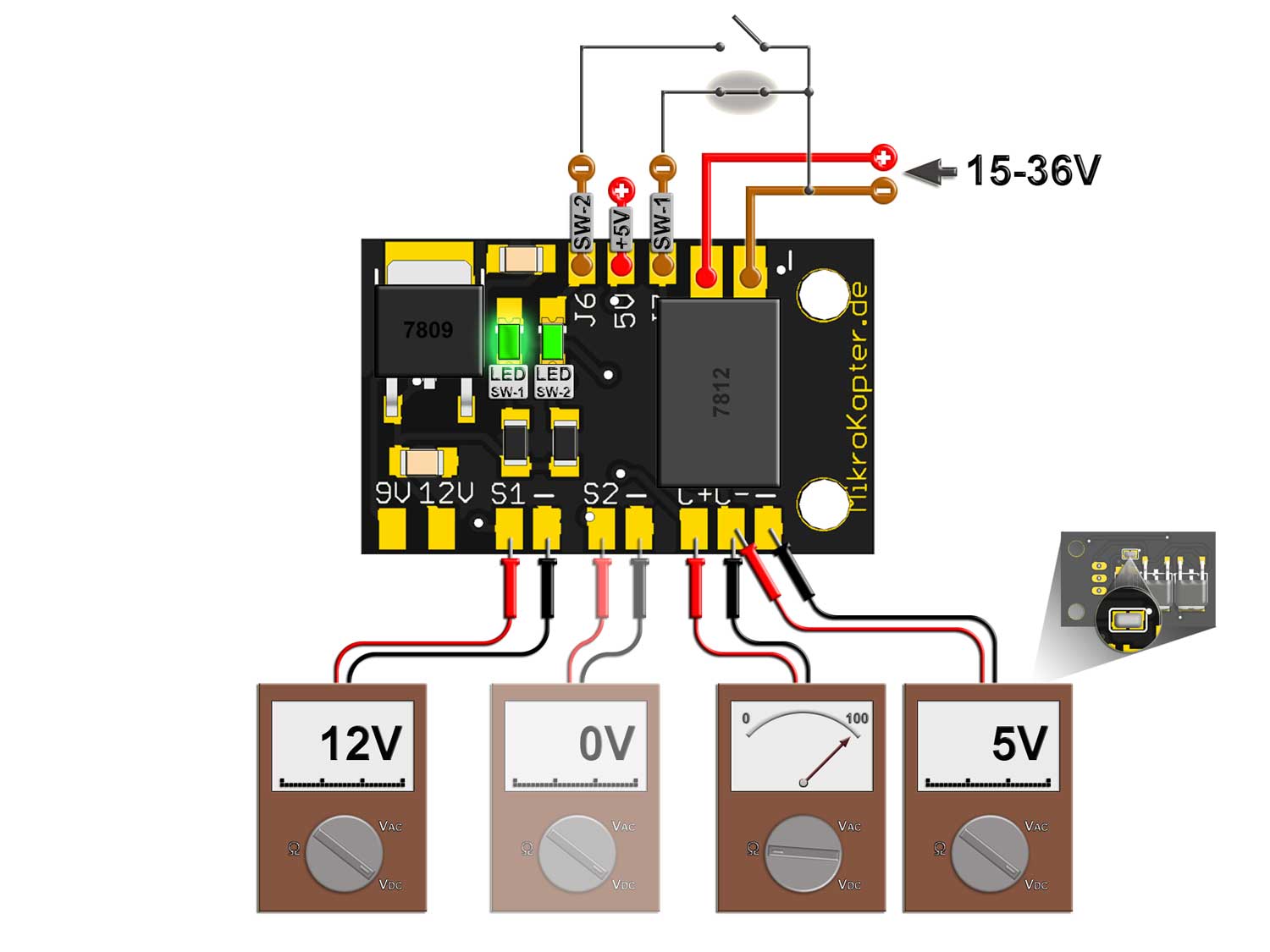
If contact "J7" is connected to ground, "LED1" lights up and 12V is connected to "S1".
In addition, the switching contact "C + / C-" is bridged via the optocoupler (observe polarity during measurement / connection).
And if the contact "SJ1" is bridged on the back side, 5V is at the pads "C - / -" (only if you have connect the 5V input).
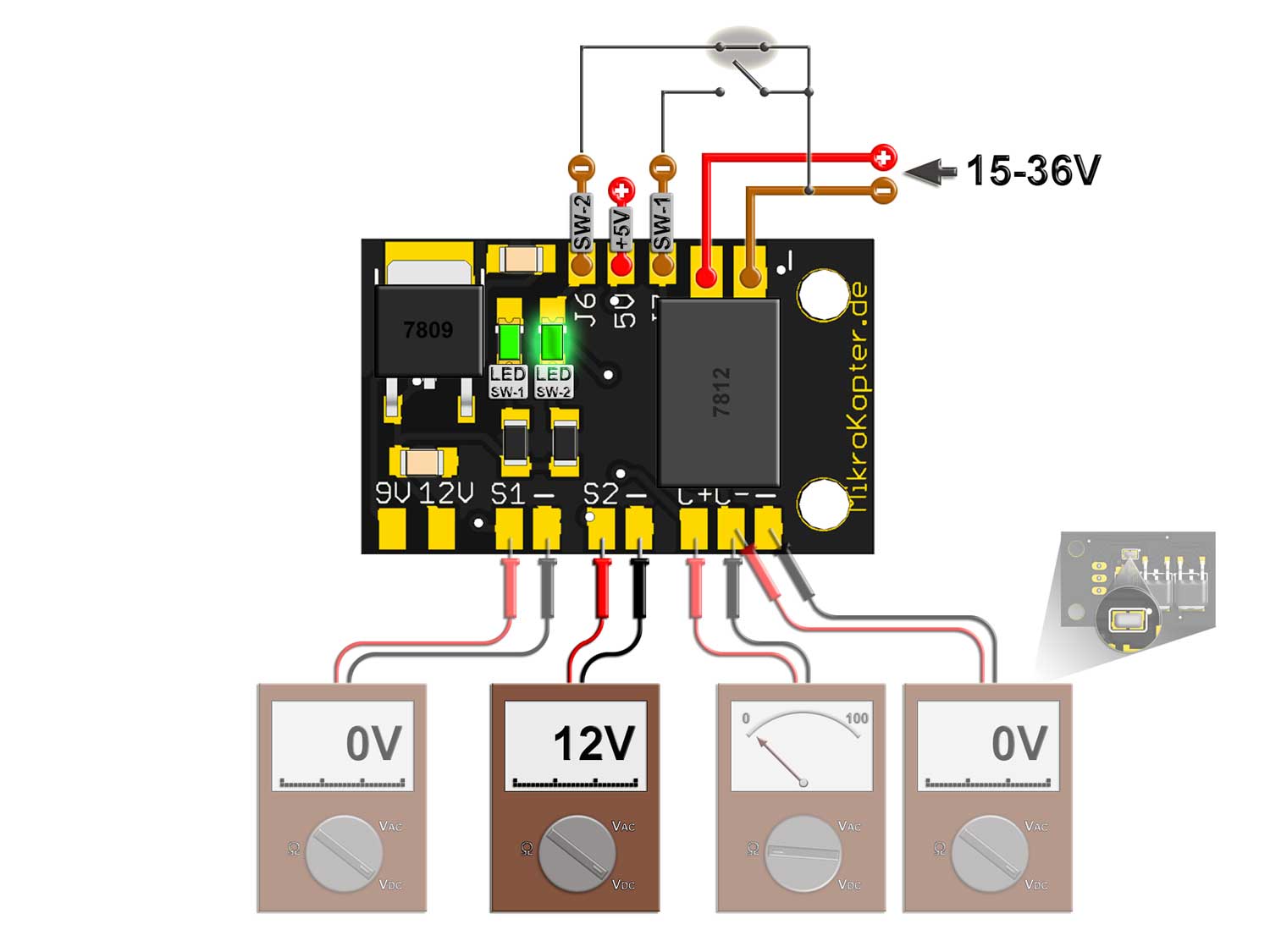
If contact "J6" is connected to ground, "LED2" lights up and 12V is connected to "S2".


Connection FlightCtrl
The inputs "J6", "J7" and "5V" are connected to the switch output "Out1", "Out2" and "+5V"
of your FlightCtrl. At the pads "+" and "-" the Lipo voltage is applied.
Connection examples
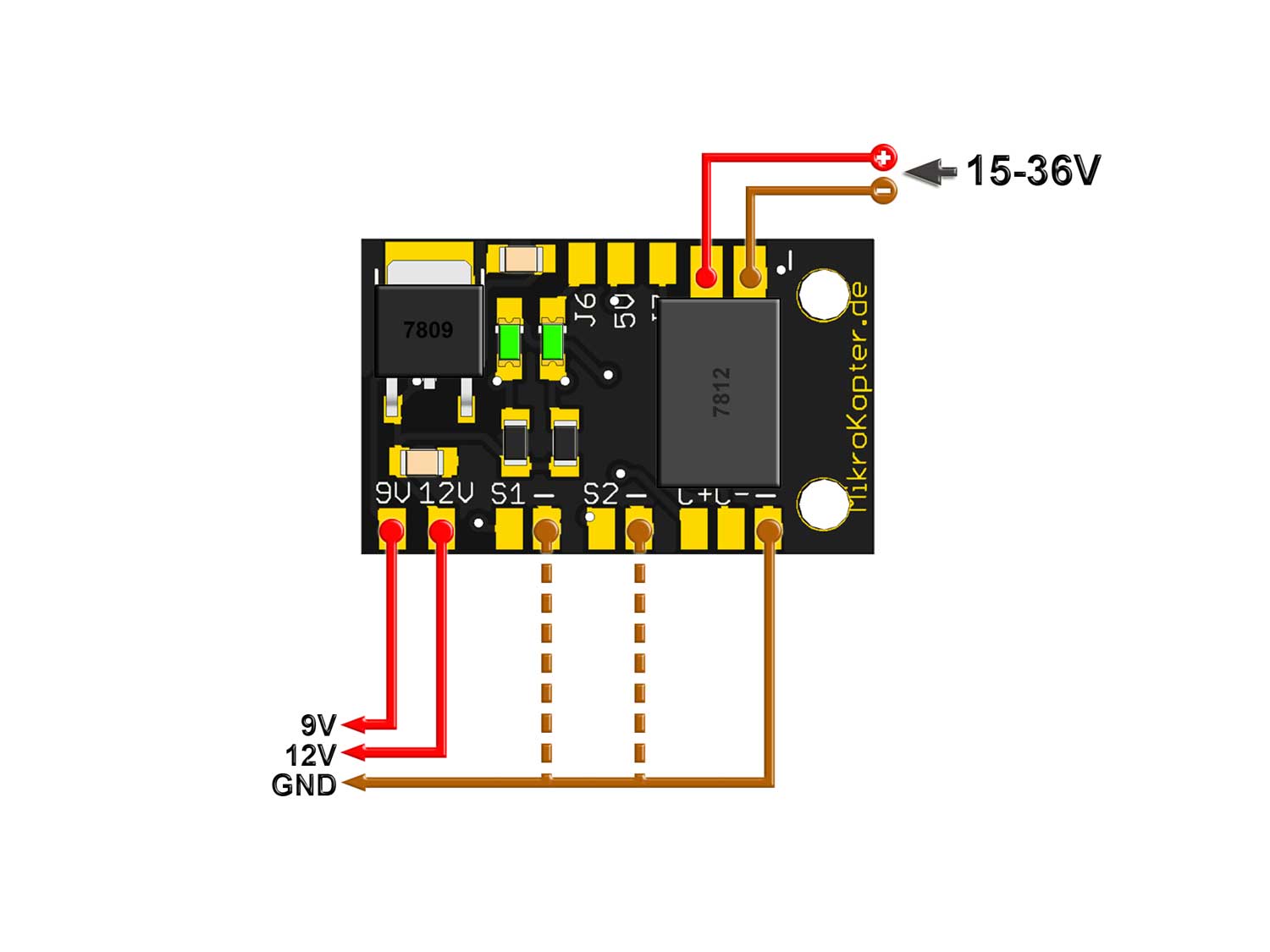
Voltage tap
For the connection of external consumers (e.g. a video transmitter) 9V (0.5A) and 12V (1A) are available.
Attention:
If a bridge was soldered in place of the 12V Traco (IC2), the full lipo voltage is applied to the pad "12V", "S1" and "S2" !!!
The switching outputs "S1" and "S2" are then with max. 55A loadable.

Connection lighting
LEDs can be connected to the switching outputs S1 and S2 and switched independently of each other.
Please note that the connected LEDs together do not need more then the max. 12V / 1A.
(Exception if a bridge is used instead of IC2)

Connection lighting + Shutter
In addition to lighting, a trigger for a camera can also be connected.
The lighting is then connected to the switching output "S2". The pads "C + / C-" can then be used to connect a trigger for the used camera.
(To protect the camera, the switching output "C + / C-" is connected via an optocoupler. When the contact is closed, a resistance of approx. 100 ohms is applied. When connecting the trigger, pay attention to the correct polarity. GND is on "C-", Focus and Trigger on "C +")
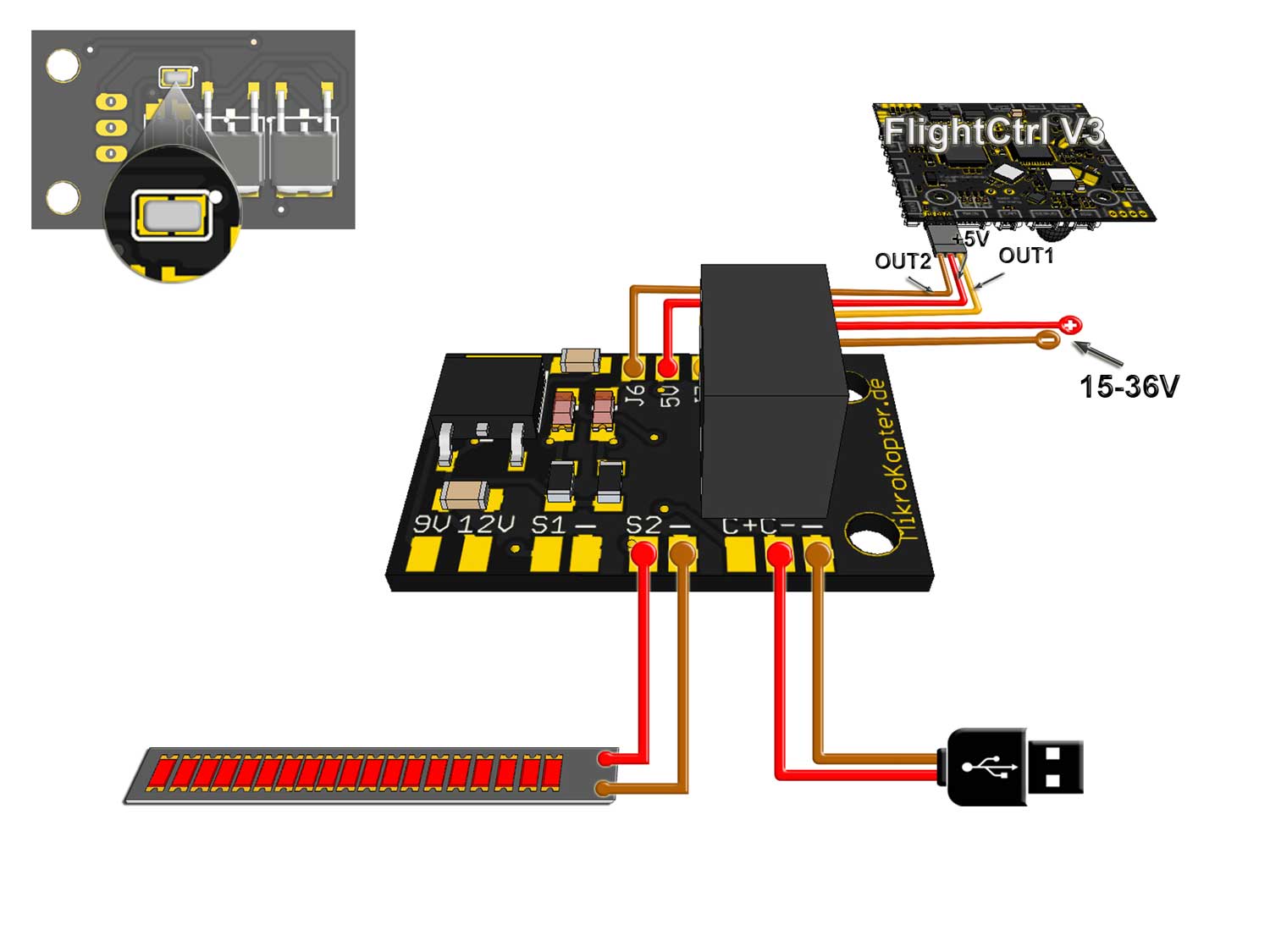
Connection lighting + Canon-Ixus with CHDK-Script
If you use e.g. a Canon camera with CHDK-script you can also trigger this camera via e.g. a USB plug (if supported by CHDK for the used camera).
To do this, the solder bridge "SJ1" on the back must be closed. The USB plug is then connected to the pads "C-" (+5V) and "-" (GND).